- Home
- Store
- External Drive Enclosures
- USB Drive Adapters
- EZ-Adapter MB104U-1SMB — USB 3.2 Gen 2 Adapter for 2.5″ SATA HDD/SSD & M.2 NVMe/SATA SSD
EZ-Adapter MB104U-1SMB — USB 3.2 Gen 2 Adapter for 2.5″ SATA HDD/SSD & M.2 NVMe/SATA SSD
Key Features High-speed USB 3.2 Gen 2 (Type-C) interface for fast file transfers Supports one 2.5″ SATA HDD/SSD or one M.2 NVMe/SATA SSD (not simultaneous) Tool-less drive installation Open-air design for better cooling LED activity indicator Backwards USB compatibility Works with ICY DOCK trays (optional) Use Cases External access to internal drives Quick drive testing and troubleshooting Portable backup solutions Imaging and cloning drives Transferring large files efficiently
- Brand: Icy Dock
- SKU: 4713227445719
- Shipping:
Learn More
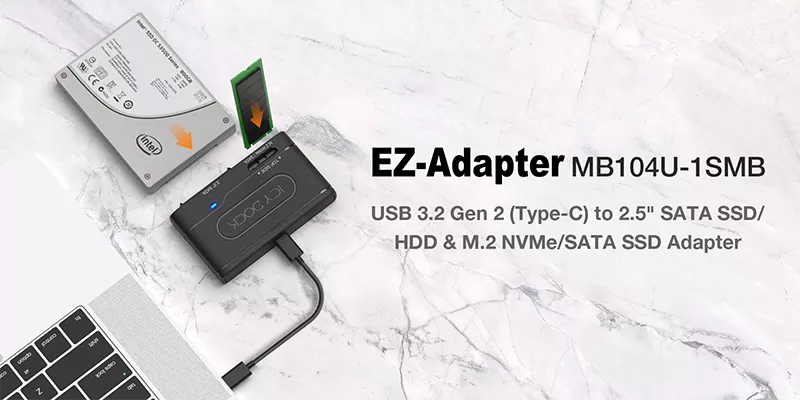 The EZ-Adapter MB104U-1SMB provides quick and easy access to 2.5-inch SATA SSD/HDD or M.2 NVMe/SATA SSD through the USB-C port on any system. This ultraportable adapter supports transfer speeds of up to 10Gbps via USB 3.2 Gen 2.
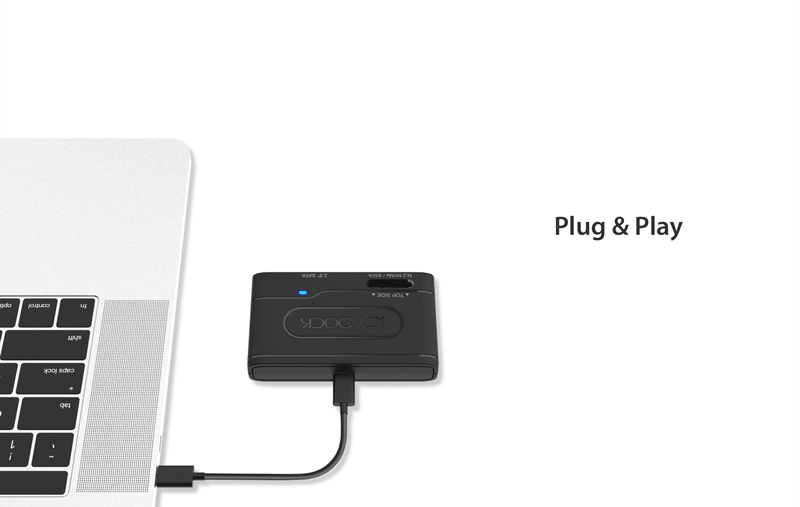 Quick and Easy Drive AccessSimply connect a 2.5-inch SATA or M.2 SATA/NVMe drive to the EZ-Adapter and plug the USB -C connector into the system to quickly perform data transfer/backup/erasure. The tool-less drive installation allows users to swap and access multiple hard drives/SSDs effortlessly.
Please note – the adapter does not support using the 2.5-inch and M.2 installed simultaneously.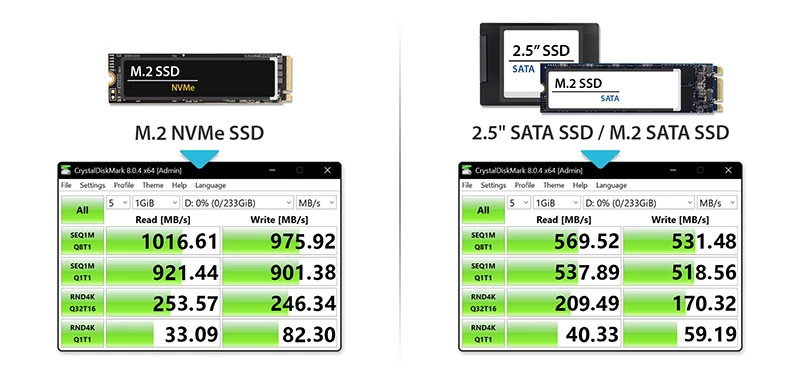 Unparalleled Transfer SpeedsExperience blazing-fast data transfer speeds with the EZ-Adapter MB104U-1SMB. When connected to an M.2 NVMe SSD and paired with a USB 3.2 Gen 2 host, this versatile adapter can deliver transfer speeds of up to 1000MB/sec. Furthermore, when linked with an M.2 SATA SSD or a 2.5" SATA SSD/HDD, the MB104U-1SMB can achieve transfer speeds of up to 600MB/sec. These impressive speeds ensure efficient and swift data transfer, making the EZ-Adapter MB104U-1SMB an essential tool for your data management needs.
 Open-Air DesignThe open-air design allows 2.5” drives and M.2 SSDs to be fully exposed for maximum heat dissipation.
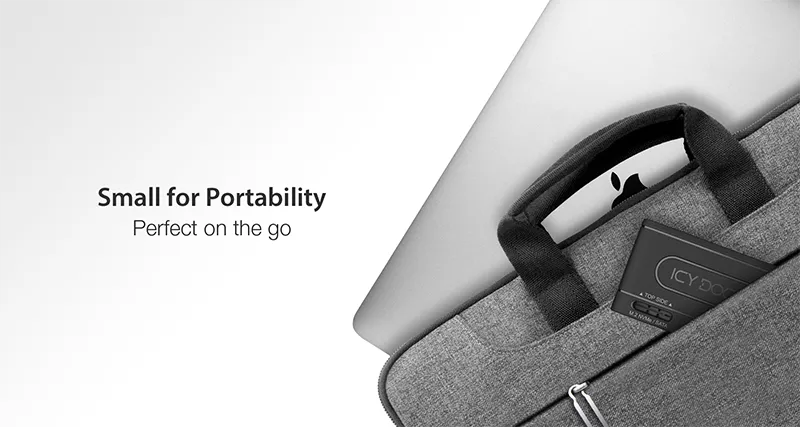 Data Transfer on the GoThe EZ-Adapter MB104U-1SMB is specifically engineered for mobility and functionality. The adapter features a lightweight and durable design, easily fitting into your carry-on bag or pocket. In addition, the adapter is powered by a USB host bus and does not require an external power adapter, making it a perfect on-the-go device.
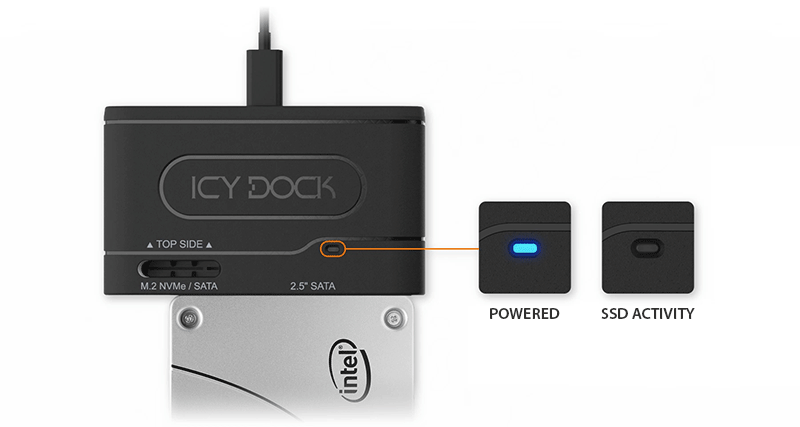 LED IndicationsThe MB104U-1SMB is equipped with an LED indicator for drive activity. The blue LED light on the adapter will blink when the drive is being accessed.
| • | Supports 1x 2.5” SATA SSD/HDD or M.2 SATA/NVMe SSD (Not supported using 2.5” and M.2 drives simultaneously) |
| • | Supports transfer speeds up to 10Gbps under USB 3.2 Gen 2 (Depending on drive and host specs) |
| • | Tool-less drive installation design for quick data access |
| • | Supports UASP, plug and play, TRIM |
| • | Blue drive status activity LED indicator |
| • | Anti-slip rubber foot pad to ensure adapter does not slip on the surface |
| • | Includes USB Type-C to C cable |
| • | USB-bus powered – required no external power adapter |
| • | Support Windows, Mac, and Linux systems |
| • | Industry-leading 3-year warranty |
| • | Complimentary technical support by ICY DOCK trained support professionals |
| Model Number : | MB104U-1SMB |
| Available Colors : | Black |
| Support Drive Size : | 1 x 2.5” SATA drive SSD/HDD or 1 x M.2 NVMe/SATA SSD |
| Host Interface : | USB 3.2 Gen 2 Type C |
| Power Input : | Via USB |
| Transfer Rate : | Up to 10Gbps (depending on drive and host specifications) |
| Controller IC : | RTL9210B |
| Structure / Material : | ABS plastic |
| Dimension (W x H x L) : | 91.5 x 61.1 x 18.5 mm |
| Product Net Weight : | 49.9 g |
| Package Gross Weight : | 85.8 g |
| Drive Activity LED Indication : | Device power : solid blue ; Drive access:flashing blue |
| Plug & Play : | Yes |
| Package Contents : | Device, user manual, USB 3.2 Gen 2 type C to C cable |
| M.2 Connector Insertion Rate : | 5,000 |
| SATA Connector Insertion Rate: | 10,000 |
| Humidity : | 5%~65% RH |
| Operating Temperature : | 0°C to 60°C (32°F to 140°F) |
| Storage Temperature : | -35°C to 70°C (-31°F to 158°F) |
| Compliance : | CE, RoHS, REACH |
| Warranty : | 3 years |
Q: I installed the hard drive/SSD and the device is connected to my computer, but the drive is not detected.
A: There are some scenarios you can do to rule out potential problems.
Scenario 1 – Drive status LED is not lighting up
Scenario 2 - The drive status LED lights up, but the hard drive/SSD is still not detectable
Scenario 3 - The hard drive/SSD and the connected USB port do work normally, but the drive does not show up on my computer after connecting to my computer
Scenario 4 - It has been verified to rule out all possible hardware problems, but the system still cannot detect the hard drive/SSD
Please contact tech@icydock.com if the problem persists so we can resolve the issue as soon as possible.